
The easiest way to take basketball stats
Call the play as it happens: “three by Morgan, assist Lee.” GameCaller turns your voice into the live score, play-by-play, player totals, and a complete box score while you stay with the next possession.
Live basketballWatch a call become a stat
Every possession builds the box score
Call the plays you see. GameCaller turns made shots, misses, rebounds, assists, steals, blocks, turnovers, and fouls into the player and team numbers that tell the story of the game.
- Points
- Follow scoring from made twos, threes, and free throws.
- Rebounds
- See total rebounds with offensive and defensive boards separated.
- Assists
- Credit the pass that creates a made basket.
- Steals
- Credit the defender who takes the possession away.
- Blocks
- Record the rejection and keep the shot result accurate.
- Turnovers
- See where possessions ended before a shot went up.
- Personal fouls
- Keep personal fouls beside the rest of each player line.
- Field goals
- Build makes and attempts from every two-point and three-point call.
- Field goal percentage
- Compare player and team shooting from the recorded attempts.
- Three-pointers
- Separate makes and attempts from beyond the arc.
- Three-point percentage
- See who converted the three-point chances they took.
- Free throws
- Keep free-throw makes, attempts, and percentage together.
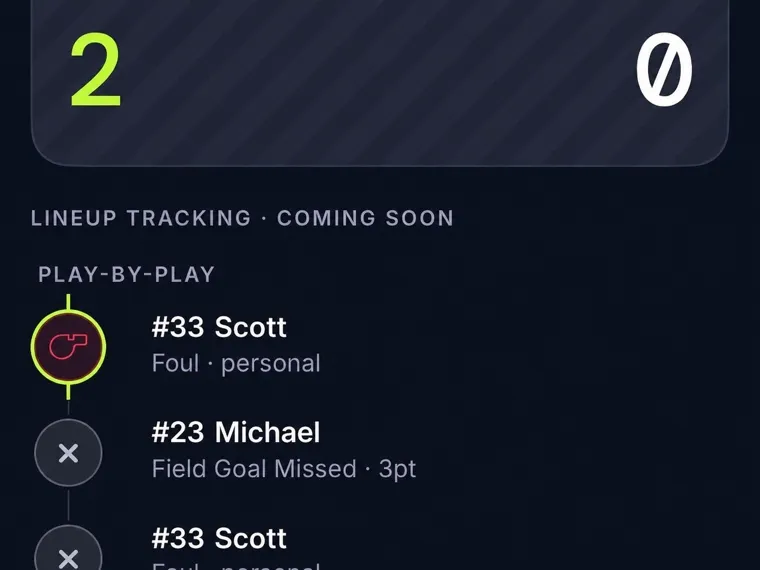
One call can hold the whole play
A made basket can carry several stats at once. Say “three by Morgan, assist Lee” and GameCaller records the shooter, shot, points, and assist together. By the time the ball is inbounded, you are ready for the next possession.
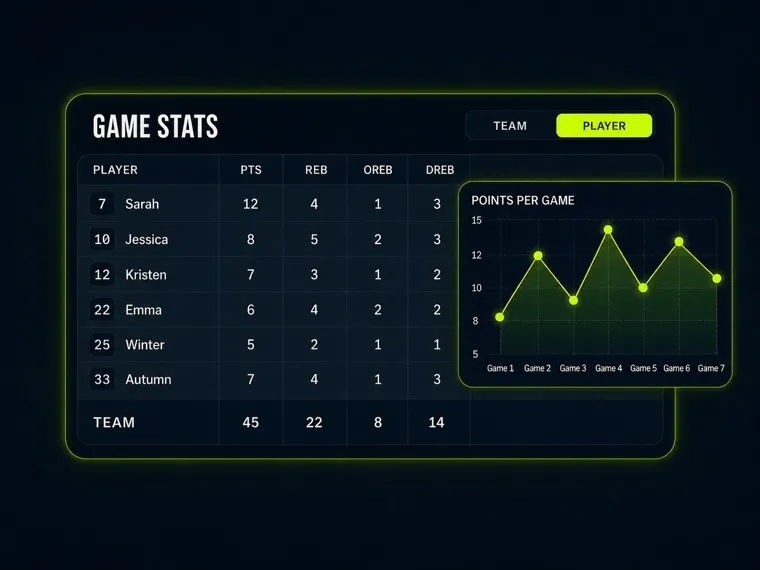
Call the game the way you see it
Say made two, missed three, defensive rebound, steal, block, turnover, or personal foul. GameCaller knows each basketball event and where it belongs in the box score. Call a player by name or jersey number and the play lands on the right line.
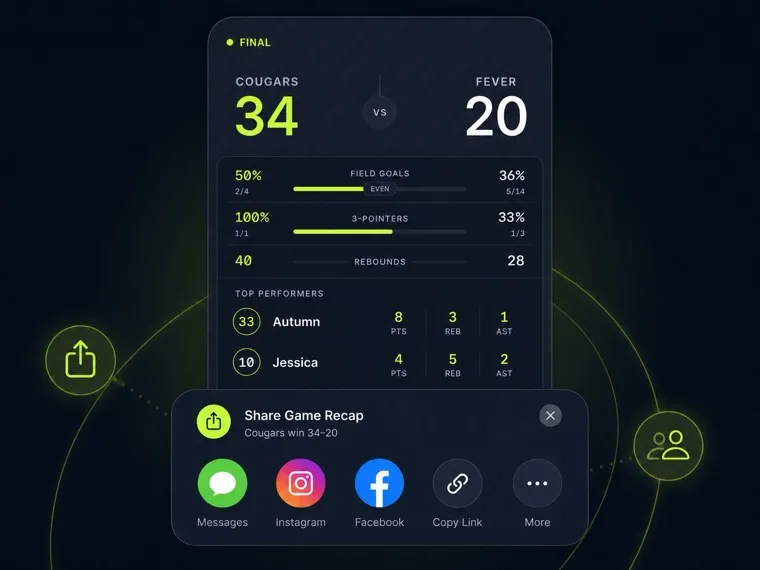
See where the game turned
Did shooting decide it? Did one team give away too many possessions? Compare field goals, three-pointers, free throws, rebounds, and turnovers side by side. Then open the player lines and play-by-play to find the run that changed the game.
From tipoff to a finished box score
Build the roster before the ball goes up. Call each play while the game moves. At the final horn, the box score is already waiting.
- 01
Add your roster
Add player names and jersey numbers before tipoff. Now every scoring play, assist, rebound, turnover, and foul has a clear place to land.
- 02
Call what happens
Keep your eyes on the court and say the player and the play. The live feed lets you confirm the call while the score and totals move with the game.
- 03
Finish with the full game
When the horn sounds, open the player lines, compare the team totals, and scan the play-by-play. The game is ready to review without another round of data entry.
See how GameCaller tracks soccer
Move from possessions and box scores to goals, saves, cards, and a complete match timeline.
Take GameCaller courtside
Join the waitlist. We’ll let you know when GameCaller is ready for your next basketball game.