
Coach the game. Keep the stats.
The next play starts before you can fill out a stat sheet. Call what happened aloud, keep your eyes on the action, and let GameCaller build the live score, player stats, and team record as the game unfolds.
Live gameWatch a call become a stat
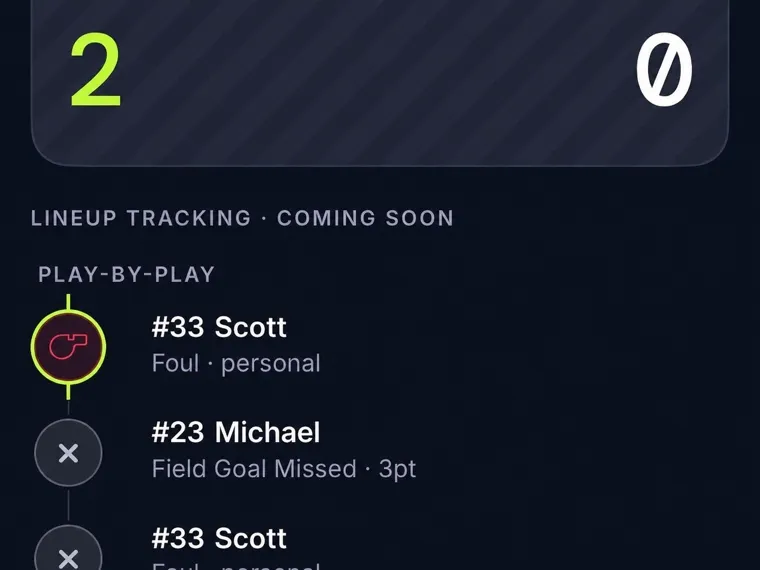
Call the play without leaving it
You see the basket, rebound, or turnover, then the next possession is already moving. Say the player and the play instead of searching a menu. A call like “three by Morgan, assist Lee” updates the score, credits both players, and lands in the live play-by-play while you stay with the game.
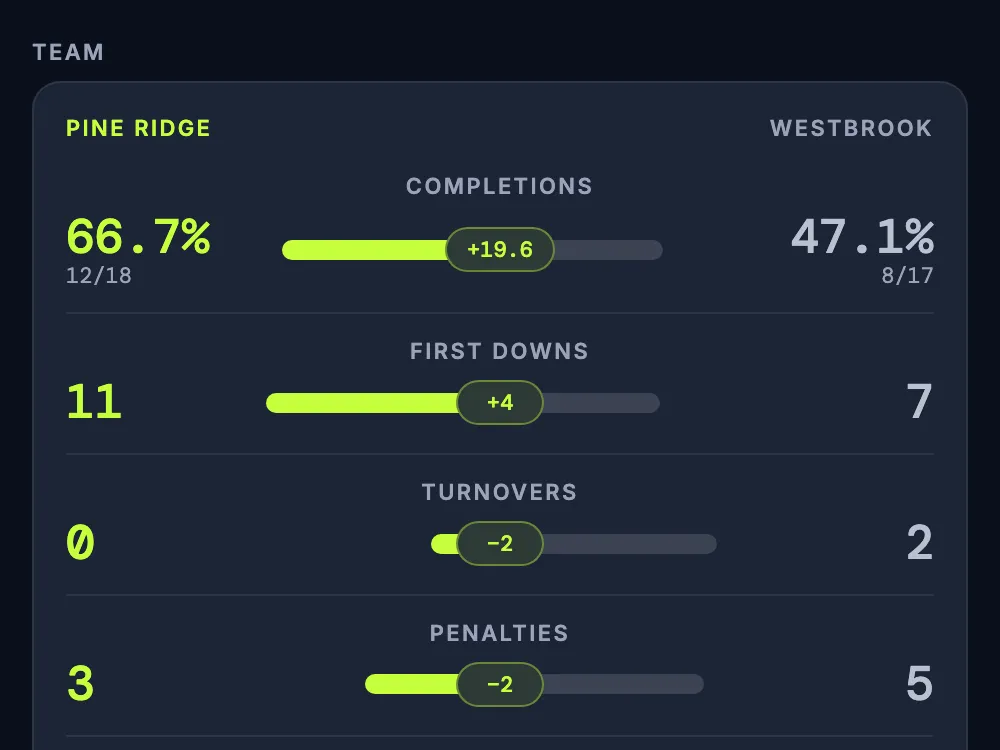
See the team matchup while you can still adjust
Open the current game’s side-by-side team totals while play is still going. In basketball, see whether the other team is out rebounding you or making more threes. For football, compare completions, first downs, and passing and rushing yards before the next drive. GameCaller shows the numbers; you decide what to change.
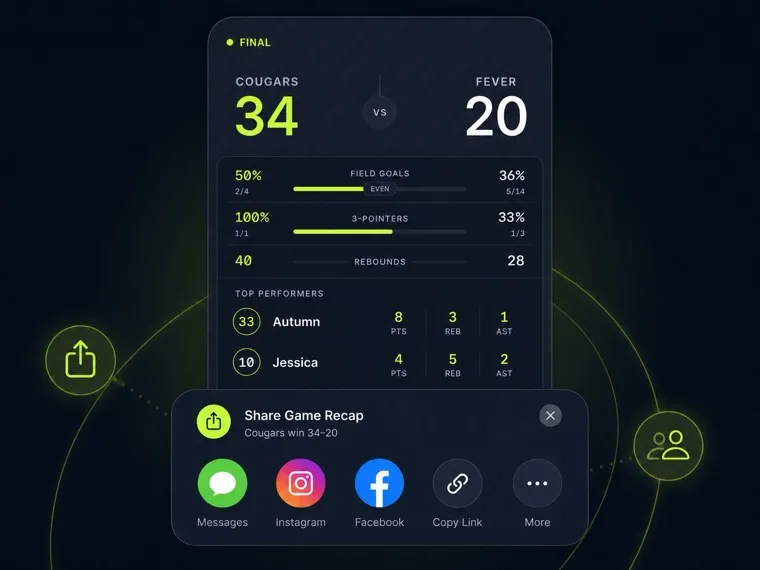
Stats ready to review right at the final whistle
When play ends, the score, player stats, timeline, and team comparison are already together. Review the plays that changed the game, share the recap with your team, or return to it later. No tally sheet to transcribe and no video replay needed to rebuild the stats.
From roster to review, in one game record
Get the names in place before play starts. Call what you see. Use the live numbers during the game and the finished record after it.
- 01
Set your roster
Add player names and jersey numbers, then name the opponent. From the first call, GameCaller credits the right player and adds the play to your team stats.
- 02
Keep calling the game
Say who made the play and what happened. Watch the score, play-by-play, and player totals update. Check both teams’ totals when you want to see where the game stands.
- 03
Review at the whistle
Open the finished game record as soon as play ends. Scan player stats, compare team totals, and follow the timeline back to the moments you want to discuss.
See the stats behind your game
The coach’s workflow stays simple, but the stat sheet should speak the sport. See the calls and team comparisons GameCaller supports for each game.
- BasketballFast possessions become a complete box score without slowing you down.Explore Basketball
- Flag FootballFollow catches, flag pulls, conversions, and possession changes from one sideline.Explore Flag Football
- SoccerGoals, saves, cards, and shootouts come together in one clear match record.Explore Soccer
- Tackle FootballTrack tackle football drives, yardage, tackles, and scoring in one game record.Explore Tackle Football
- VolleyballEvery rally becomes a set score, player stat line, and complete match record.Explore Volleyball
Bring a full record to your next game
Join the waitlist. We’ll let you know when GameCaller is ready to take to the sideline with you.